See it at work.
From picking up a can to latching on a carabiner. Watch Maker Arm in our users’ hands.


“Turns out picking up a sparkling water can with a robot arm is a pretty good intro to Physical AI.”
Read the full post on LinkedIn
Shawn
Ops at Dream Labs“This is very easy for bimanual tasks. Very easy to control using the leader arms.”
The best way to start with Dream-1.
Chat promptPlace all the buns into the tray.
Your words become robot actions.
No coding experience required.
Type “Place all the buns into the tray.” Dream-1 uses the camera views to guide the arms. Two Maker Arms shown.
Install MakerMods Lab
An open-source browser tool to calibrate, train, and run local models on your Maker Arm.
Install
uv tool install "git+https://github.com/makermods-robotics/makermodslab"
Run
makermodslab
Requires uv and Python 3.12+.
# Inspect the installed SDK and profiles
maker-arm doctor

# Find motors on configured Linux SocketCAN
maker-arm scan --channel can0 --max-id 7

# Explore the supported commands
maker-arm --helpBuild with the Python SDK.
Use the open Python SDK and command-line tools to inspect your connection, read motor feedback, and teleoperate Maker Arm with a Star Arm leader.
Explore the SDK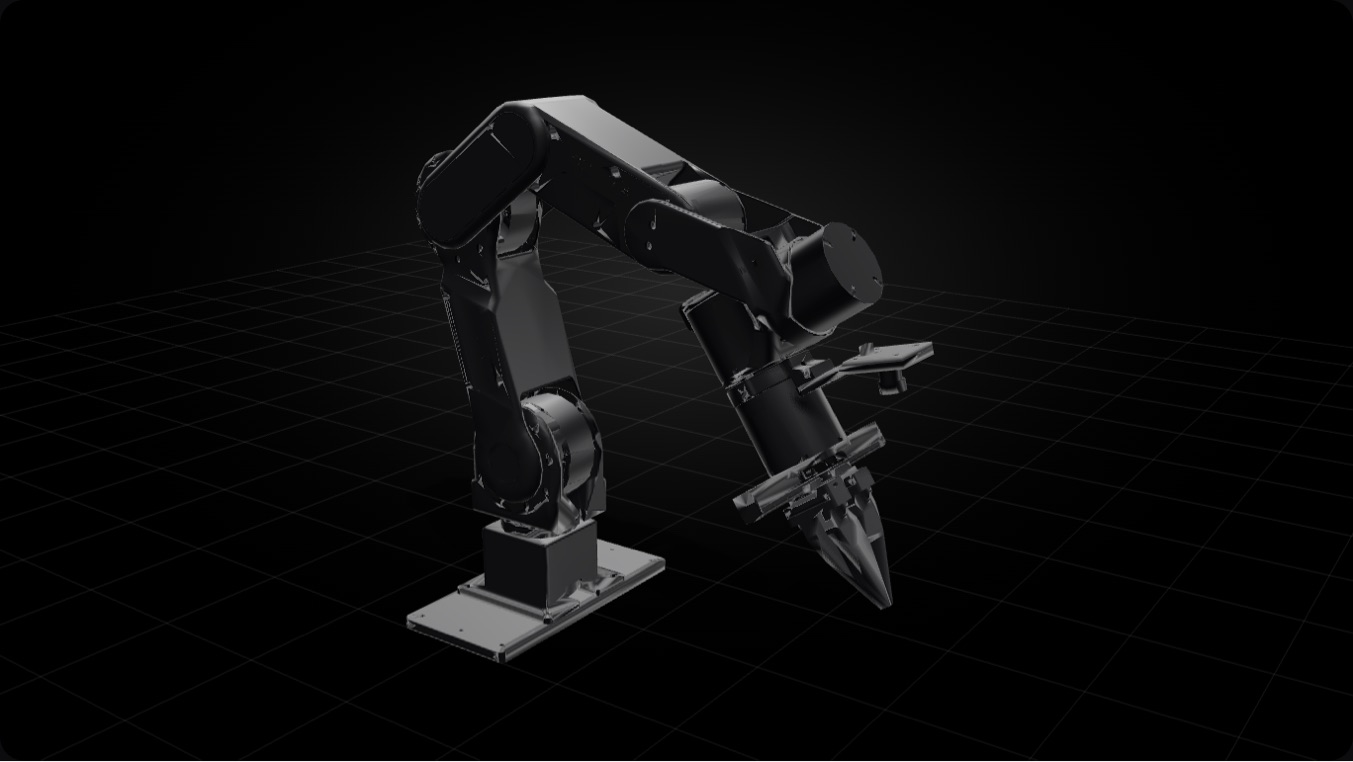 Arrow keys turn the view. Plus and minus zoom.
Loading 3D view
Drag the arm to move it
Run it in simulation.
Download the URDF. Import it into your simulator to explore how Maker Arm moves.
Get the URDF and meshesFor exploring movement. Physics accuracy is not yet validated.
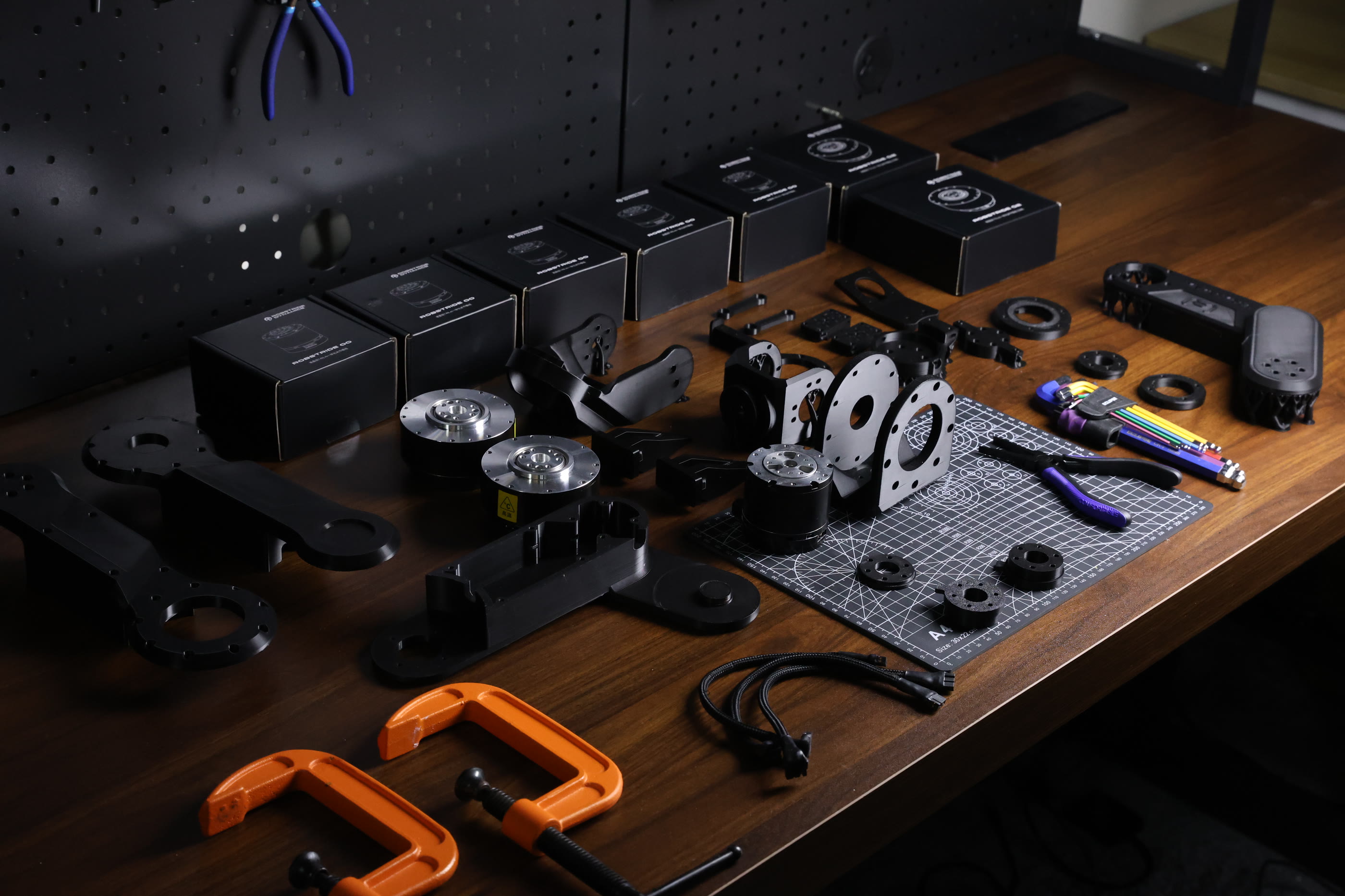
Built around RobStride.
Quasi-direct-drive actuators at the heart of every movement.
- RobStride 02
- J2 and J3
- RobStride 00
- The remaining joints
- Rated payload
- 1.5 kg
The numbers
Loading the arm…
- Arm joints
- 6Plus a separately actuated gripper
- Rated payload
- 1.5 kg
- Actuators
- RobStride quasi-direct-driveRobStride 02 at J2 and J3, RobStride 00 everywhere else
- Structure
- 3D-printed
- Control bus
- CAN
- Power
- 48 V supply
- Safety
- Hardware emergency stop
- Vision
- Wrist camera + overhead cameraBoth included
- Physical AI models
- ACT · SmolVLA · π0 · Dream-1
- Software
- MakerMods Lab · Dream Labs web app
- Reach
- 570 mm
140 × 80 cm table · Dashed outline: 140 × 60 cm · Approx. model reach
Plan your workspace.
Allow room for the arm, your objects, and both camera views. Check your mounting surface and task area before choosing a position.
Check your setup with usBring your computer.
Set up your assembled arm in under 15 minutes.
Three USB connections.
 MacBook
 Linux computer
- 1 port for the armConnect the arm through its CAN adapter.
- 2 ports for the camerasOne for the wrist camera. One for the overhead camera.
USB4 or Thunderbolt 3 or later is recommended for stable camera feeds.
Train and run locally.
Use MakerMods Lab to teach your arm a task and run your own models.
- Train a modelRecord demonstrations, then train on your data.
- Run it on your armUse a trained model to guide the arm locally.
Training and running models have different computing needs. Share your model and GPU so we can check your setup.
Your first session.
Mount the arm. Connect your computer and cameras. Follow the calibration steps, then try your first movement.
Read the setup instructionsKit or assembled
The same arm either way. Choose the build that suits you.
DIY kit
Build it yourself. Know every joint.
$999
Order the kit Current batch ships in November.- Know every jointYou assemble the whole arm, so nothing in it is a mystery.
- Everything in the boxPrinted parts, actuators, bearings, wiring, gripper, wrist camera and overhead camera.
- Made to be modifiedOpen-source 3D print files coming soon.
Assembled
Built, wired and bench-tested before it ships.
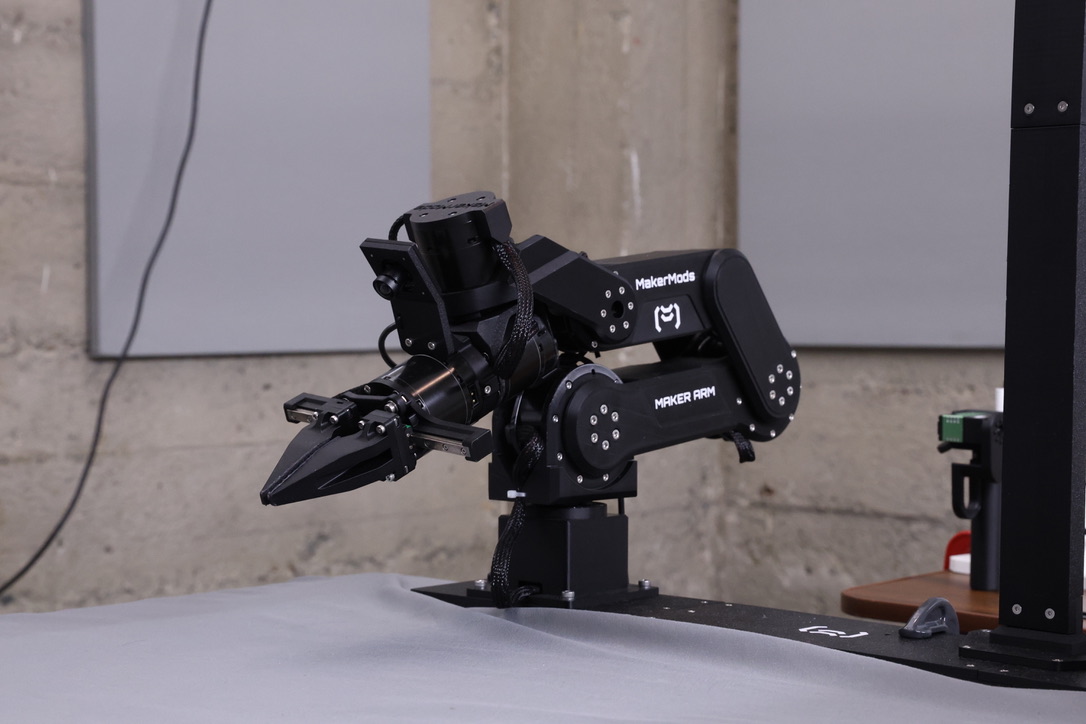
$1,199
Order assembled Current batch ships in November.- Set up in under 15 minutesMount it, connect your computer and cameras, then calibrate.
- Both cameras includedWrist camera and overhead camera included.
- Ask it, or show itText it, talk to it, or teach it a task by hand.
- Already ordered
- Arriving in OctoberYour order is in the earlier batch.
- Current batch
- Ships in NovemberFor orders placed now.
When your arm arrives.
Already ordered? Your Maker Arm will arrive in October. New orders ship in November.
Ask about your orderYou can now build a robot arm for under $1000.
— Isaac Sin (@IsaacSin12) August 24, 2026
With actuators you find on arms costing 2x of that.
> 3D printed, fully opensource
> 1.5 kg payload
> Robstride QDD actuators
> python SDK and integration with lerobot
Join the community.
Follow our latest builds and updates on X. Get help, share your projects, and meet other builders on Discord.
Good questions
How do I tell it what to do?
Type a command or speak to your arm with Dream-1. For local models, use MakerMods Lab to calibrate, train and deploy.
Can it learn something new?
Coming soon: Fine-tuning as a Service (FaaS) by Dream Labs. Teach a new task from a single demonstration with a leader arm, then run the learned task. A leader arm is available separately for $199.
Does it come assembled?
Your choice. The $999 kit is a complete set of printed parts, actuators and wiring for you to build. The $1,199 arm arrives built, wired and bench-tested.
When will my order arrive?
Already ordered? Your Maker Arm will arrive in October. New orders ship in November.
Is it open source?
The Maker Arm SDK is public on GitHub now. The parts list and CAD files come first, with printable parts to follow.
What computer and cameras do I need?
Bring a MacBook or Linux computer with 3 USB ports: one for the arm and one for each camera. USB4 or Thunderbolt 3 or later is recommended for stable camera feeds. Both cameras are included.
Where do I get help?
Ask in our active Discord community. Share what you're running into and the MakerMods team will help you work through it.
What about Metal Arm?
Metal Arm is our six-axis arm in machined aluminum: a 3 kg payload and ±0.1 mm repeatability, at $2,499. It is built for research and precise, repeatable work.