The best way to start with Dream-1.
Chat promptPlace all the buns into the tray.
Your words become robot actions.
Dream-1 uses the camera views to turn your prompt into actions. This task runs without task-specific training.
Industrial performance, accessible price.
RobStride QDD actuators for all 6+1 DoF.
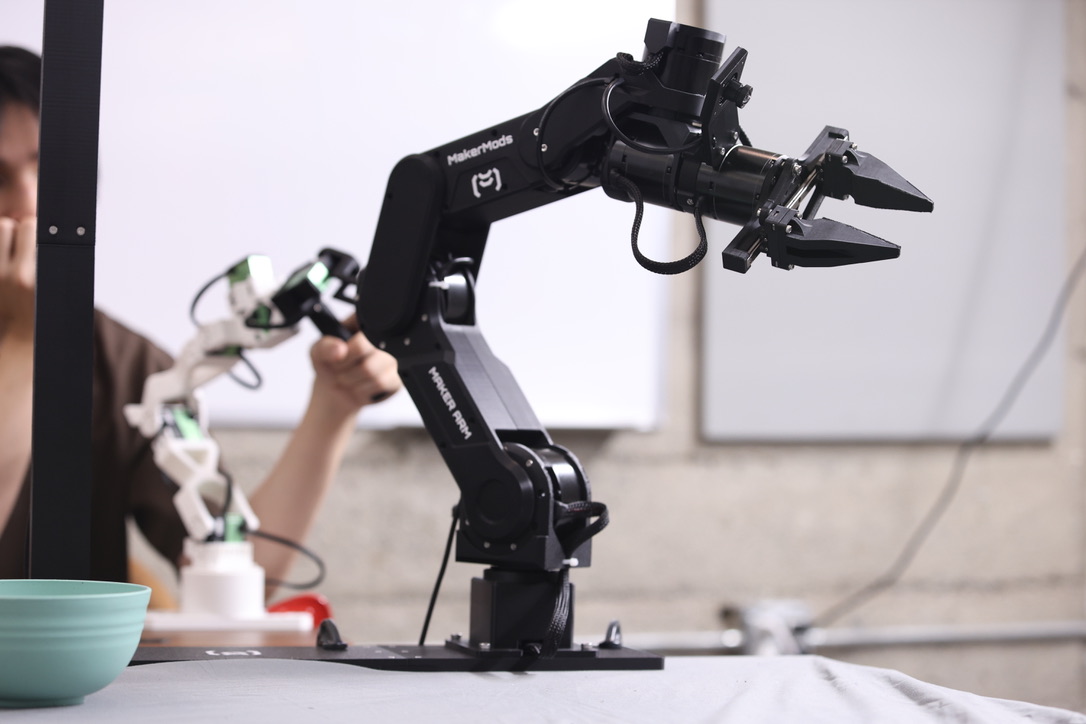
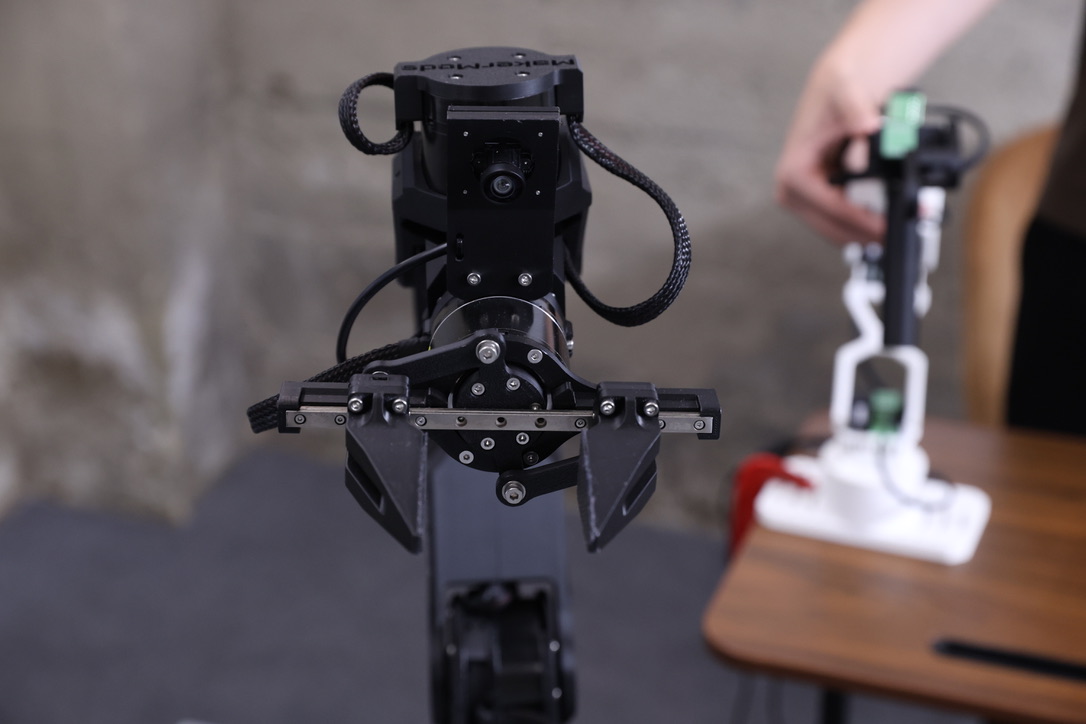
1.5 kg payload per arm. 0.2 mm repeatability.
Most tasks take two hands.
One arm holds. The other works.
Explore the hardwareTurn your words into robot action
A growing list of things to ask for. More clips are on the way.
-
2×
“Put bread in pizza box.”
Maker Arm Station -
00:12
“Help me close the drawer.”
Maker Arm Station -
2×
“Put all the plushies in the yellow tray.”
Maker Arm Station
Get to know the station.
Two arms, a shared plate, and the overhead camera.
Download the URDF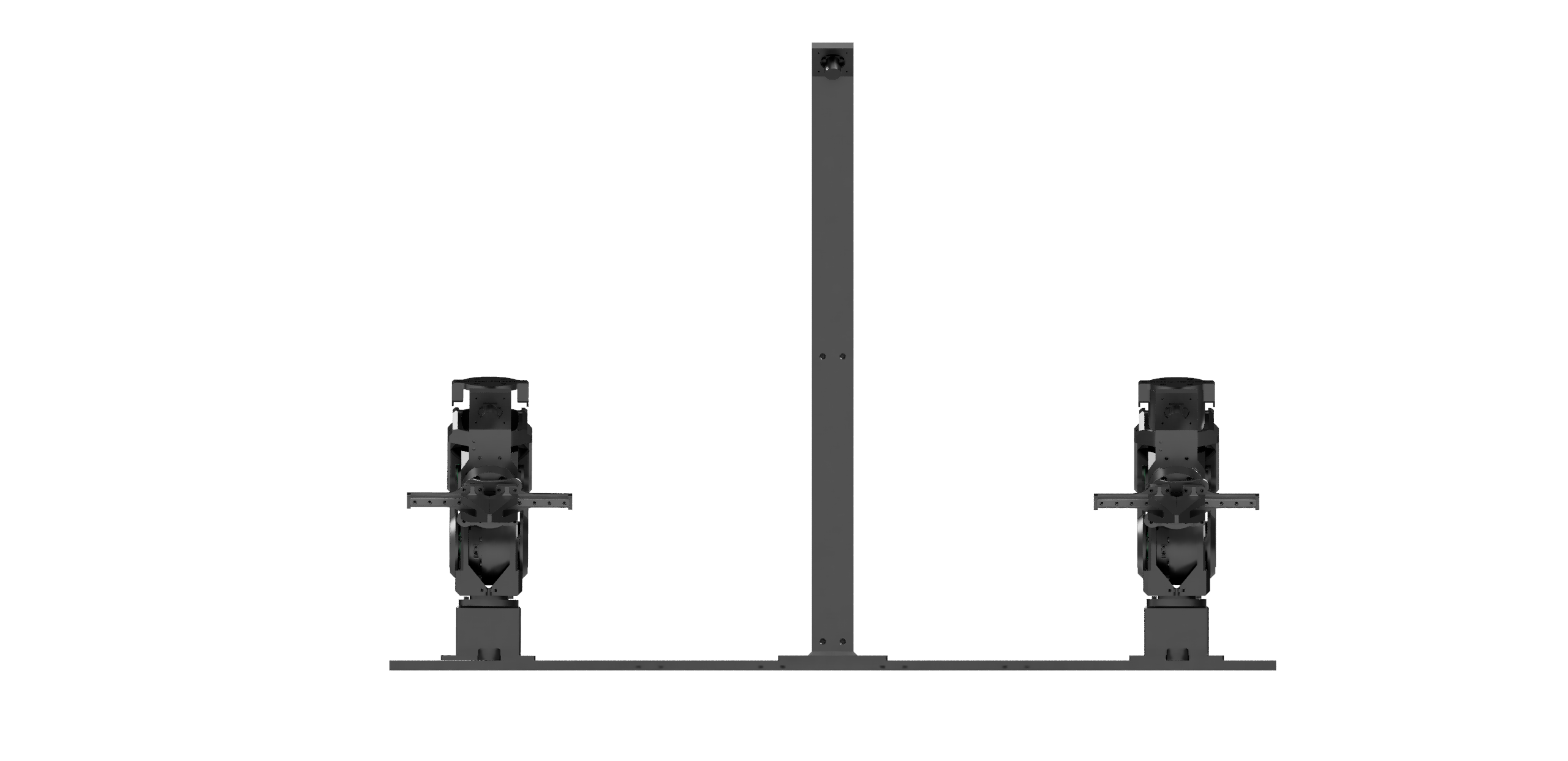 Arrow keys turn the view. Plus and minus zoom.
Loading 3D view
Built for robot learning.
Two arms. Three camera views. One shared workspace.
200 × 80 cm fits both full reach arcs · Dashed outline: 140 × 60 cm
Allow at least 191 cm across for both 61 cm reach arcs. Model estimate at tabletop height; usable reach depends on the task.
Every station.
Same setup.
Fixed arm and camera positions. Add another station as your team grows.
Shared base, table clamps, and overhead camera stand included.
Try Dream-1 in your browser.
Try Dream-1 with virtual arms in the simulator, or bring your own Metal Arm, Maker Arm, or SO-101. Give your robot a task in plain language and run Dream-1 directly from your browser.
Install MakerMods Lab
An open-source browser tool to calibrate, train, and run local models on your Maker Arm Station.
Install
uv tool install "git+https://github.com/makermods-robotics/makermodslab"
Run
makermodslab
Requires uv and Python 3.12+.
From setup to a running model.
See the full workflow in MakerMods Lab: set up your arms, collect demonstrations, train a model, and run it locally.
Choose the Station + leadersBuild beyond the demo.
Customize the Lab with coding agents, write your own arm control, or build in simulation.
- Build with coding agents
- MakerMods LabPoint Codex or Claude Code at the open-source Lab to customize data collection, training, and deployment.
- Write your own control
- Maker Arm Python SDKControl the arms over CAN. For ROS, use the SDK as the hardware layer in your own node.
- Work in simulation
- URDF and meshesUse the arm geometry and meshes to build your simulation setup.
From our users


“Turns out picking up a sparkling water can with a robot arm is a pretty good intro to Physical AI.”
Read the full post on LinkedIn
Shawn
Ops at Dream Labs“This is very easy for bimanual tasks. Very easy to control using the leader arms.”
The whole teleop setup.
Two arms, two leaders, three cameras. For less than a single $2,999+ arm.
Full teleop setup
$2,796
Two followers · two leaders · three cameras
Base, mounts, power, emergency stop, and cables included.
One 6-axis arm
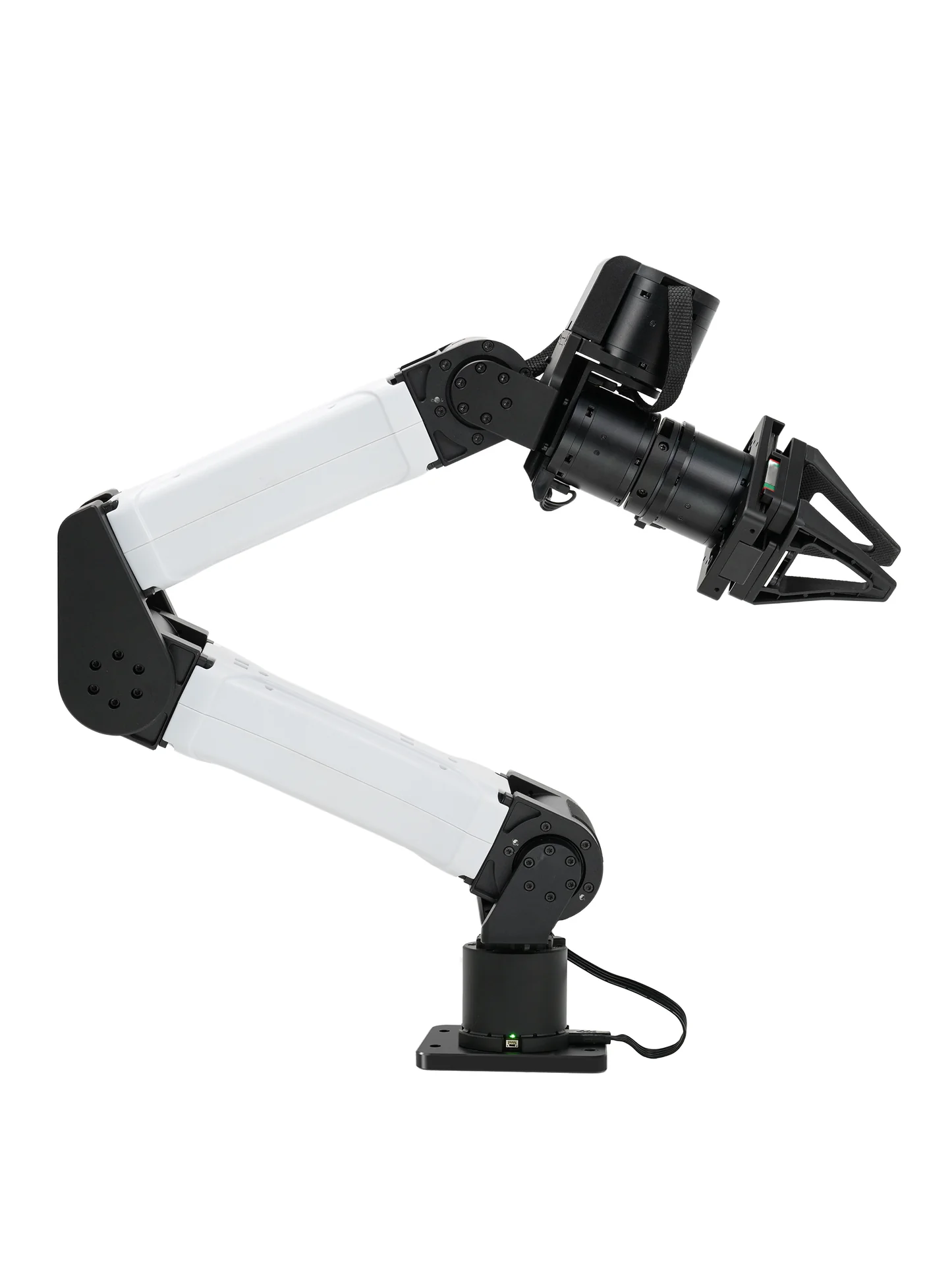
$2,999+
One arm with gripper
Most robot arms don’t include cameras.
USD hardware prices. Configurations and capabilities vary. Computer, shipping, and taxes excluded.
What's in the box
- Arms
- Two Maker Arms, with grippers
- Cameras
- Two wrist cameras, one overhead
- Mounting
- Shared base, table clamps, overhead camera stand
- Power and safety
- 48 V supplies, hardware emergency stop, cables
- Leader arms
- Star Arm 102 pair · included in the $2,796 package
Technical details and software
- Per arm
- 6 joints + gripper · 1.5 kg payload
- Construction
- Printed frame, RobStride actuators
- Control loop
- 200 Hz on Linux SocketCAN
- Software
- MakerMods Lab · open Python SDK
- Datasets
- LeRobot formatMatch your dataset and policy to the bimanual configuration.
- Models
- Open URDF and meshes
Choose your setup.
Maker Arm Station
$2,398
Two Maker Arms, three cameras, and a shared base.
Choose this if you only plan to run Dream-1 or teleoperate with VR.
Order StationCheckout on Shopify · hardware price in USD
Full teleop setup
$2,796
The Station, plus a pair of Star Arm 102 leaders.
Teleoperate with Star Arms and collect demonstrations.
Order full teleop setupCheckout on Shopify · hardware price in USD
Computer separate. The current batch is shipping now; the next batch ships in November. Confirm shipping, taxes, and any model-service fees before ordering. Buying for a lab or a team? Request a multi-station quote.
Accessories to consider
Adapt your station to the tasks you have in mind.
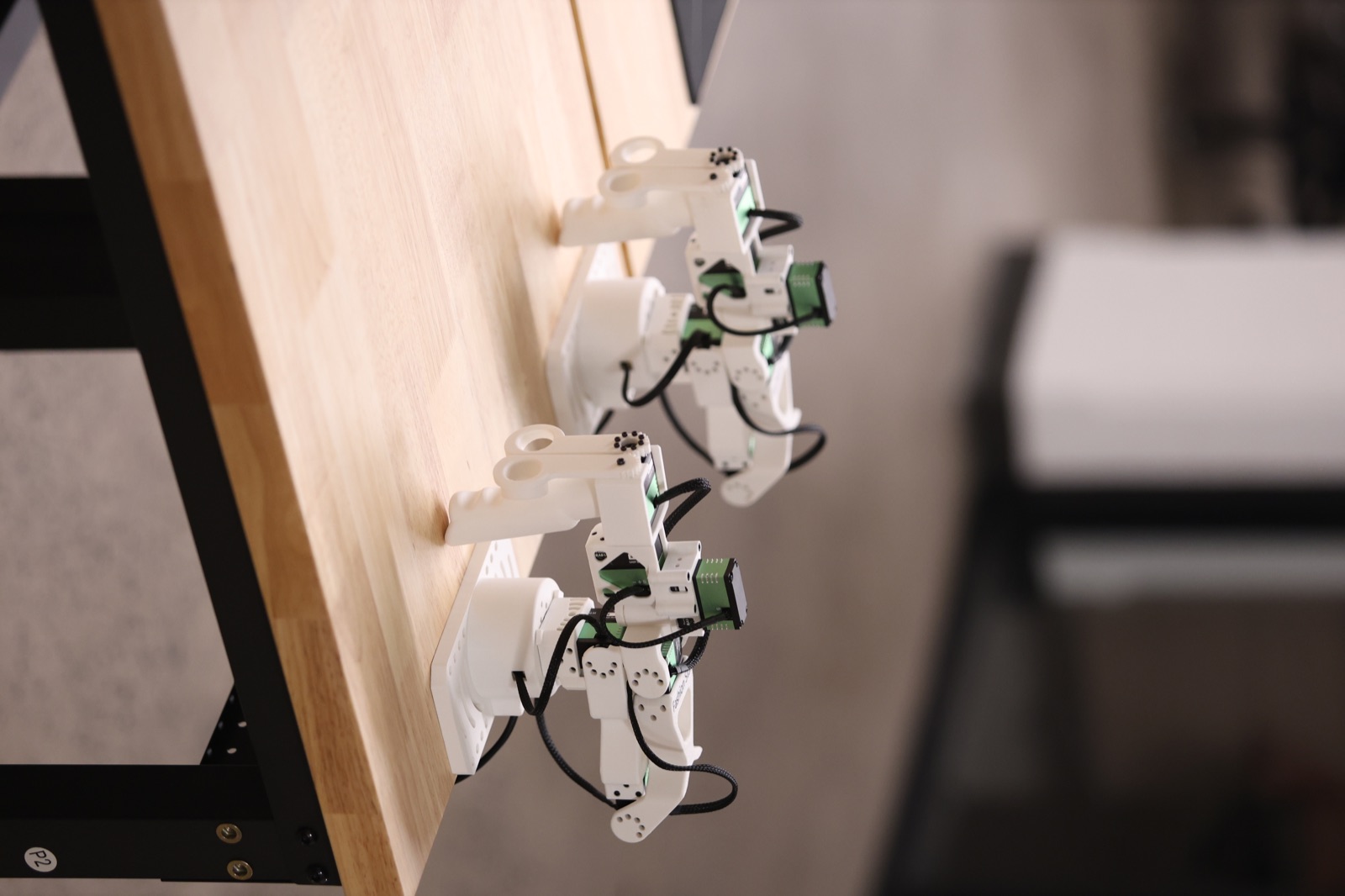
Leader Arms
Guide both arms by hand with a pair of Star Arm 102 leaders.
Already included in the complete teleop package.
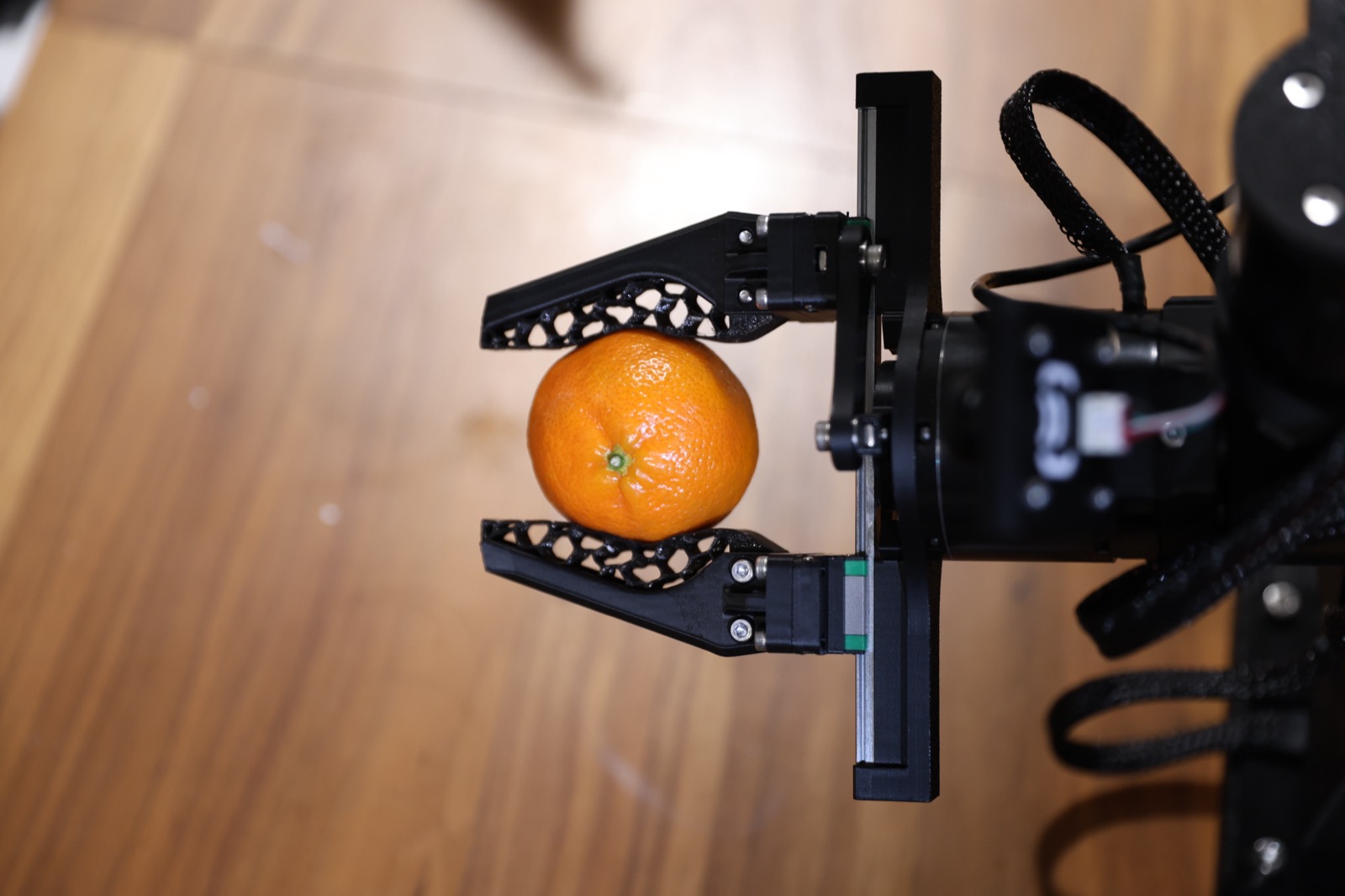
Compliant Gripper Upgrade
Upgrade to a softer, more compliant grip.
Both arms already include standard grippers.
Made in collaboration with
Have an interesting problem to automate?
We are taking on pilot deployments with Maker Arm Station. Tell us what you want automated. If it fits, we can come on site and deploy it with you.
Become a pilotGood questions
What do I need to bring?
A Linux or macOS computer for control and recording. For training, tell us your GPU and we will check it with you.
Do I need leader arms?
Only to drive the arms by hand and record demonstrations. A Star Arm 102 pair is $398. Without them, drive the arms from code or from MakerMods Lab.
What software can I use?
MakerMods Lab, LeRobot, or the open Python SDK, which talks to each arm over CAN. The 3D viewer is open too.
Which policies does it run?
Dream-1 is demonstrated above. For your own models, use the LeRobot workflow in MakerMods Lab or integrate through the SDK. Dataset format alone does not make a policy compatible: camera inputs, action space, and the two-arm configuration must match. Ask about your checkpoint.
Can I change the layout?
Yes. You can swap grippers, move cameras or add sensors. Moving arms or cameras may require new calibration and data. The parts list and CAD files come first, with printable parts to follow.
Will Dream-1 work on my task?
The demo shows the task, objects, and setup used in that run. It is not a success-rate benchmark for other tasks. Share your intended task with us to discuss fit and setup requirements.
Do datasets have to go to the cloud?
MakerMods Lab supports datasets on disk and optional Hugging Face upload. Dream-1 is a separate service; confirm its camera-data handling and connection requirements before using confidential scenes or objects.
Do you have a Discord channel?
Yes. Join our Discord to ask questions and share what you’re building.
What warranty and support come with it?
Contact sales for the written warranty, return conditions, and replacement-part options for your order. For software questions, use the community and the Lab issue tracker.
When can I get one?
The current batch is shipping now. The next batch ships in November. Contact sales for shipping costs. Buying for a lab or several stations? Get a quote.